How to Build a House in Minecraft: Step-by-Step Guide + 9 Best Designs
Your first night in Minecraft is the moment you realise you need a home. Zombies, skeletons and creepers come out in the dark, and a few walls and a door are all that stand between you and losing your items. This guide shows you how to build a house in Minecraft from the ground up: picking a spot, gathering blocks, laying the foundation, adding walls, a roof and furniture, and then choosing a design that fits your style.
You can also find official build inspiration on Minecraft.net. The steps work the same in the latest Minecraft APK for Android, in Bedrock Edition and in Java Edition.
Why You Need a House in Minecraft
A house is much more than four walls, and it is usually the first big project for anyone learning how to build a house in Minecraft. Before you learn how to build a house in Minecraft, it helps to know what a good one gives you:
- Safety: solid walls and a lit interior keep hostile mobs out at night.
- Storage: chests let you keep ores, tools, food and rare loot in one place.
- A work area: crafting tables, furnaces and anvils turn raw materials into gear.
- A respawn point: sleeping in a bed skips the night and sets where you come back if you die.
- Creativity: a house is your first real build, and it can be as simple or as fancy as you like.
Materials You Need to Build a House
You do not need rare blocks for a first home. Here is a simple shopping list for a small starter house of about 7 by 7 blocks:
| Material | How to Get It | Used For |
|---|---|---|
| Wood logs and planks | Chop trees; 1 log makes 4 planks | Walls, floor, roof, door, furniture |
| Cobblestone or stone | Mine stone with any pickaxe | Foundation, furnace, sturdier walls |
| Glass | Smelt sand in a furnace | Windows |
| Torches | 1 coal or charcoal and 1 stick make 4 torches | Lighting inside and outside |
| Wool | Shear sheep or collect string | Bed (3 wool and 3 planks) |
| Door | 6 planks make 3 wooden doors | Entrance |
As you progress, swap in bricks, stone bricks, concrete, terracotta, deepslate or quartz for a cleaner, stronger look.
How to Build a House in Minecraft: Step by Step
Follow these seven steps and you will have a safe, good-looking base before your second night. This is the core of how to build a house in Minecraft, whether you play in Survival or Creative.
Step 1: Choose the Right Location
- Flat ground saves time, because you will not have to fill holes or cut into hills.
- Nearby resources like trees, stone, water and animals mean fewer long trips.
- A nice view next to a river, lake, forest or mountain makes the house feel special.
- Close to a village is handy for trading with villagers, but keep your own walls around it.
Step 2: Plan Your Design
Planning is the step most players skip, yet it is the secret to how to build a house in Minecraft that actually looks good. Decide the size and shape first. A square or rectangle is easiest for beginners. If you are unsure, test the idea in a Creative world, or sketch it on a grid. Think about where the bed, chests and crafting corner will go, and whether you want one floor or two.
Step 3: Lay the Foundation
Every guide on how to build a house in Minecraft starts the real work here. Mark the outline of the house on the ground with cobblestone or stone. A stone base looks solid, stops the floor from blending into the grass and gives the build a clear edge. Fill the inside with planks or stone to make the floor.
Step 4: Build the Walls and Windows
- Place logs at each corner and stack them 4 or 5 blocks high. Corner pillars instantly make a house look better.
- Fill the gaps between the pillars with planks or stone.
- Leave a 1 by 2 gap for the door and place it.
- Leave gaps at eye level for windows and fill them with glass or glass panes.
- Mix two or three block types, for example stone at the bottom and planks on top, to add depth.
Step 5: Add the Roof
- Flat roof: fastest to build and great for a rooftop garden or lookout. Put slabs or a small fence around the edge.
- Sloped roof: use stairs, stepping up one block at a time from both sides until they meet in the middle. Let the roof hang one block past the walls for a cosy cottage look.
- Tip: use a darker wood or stone for the roof than for the walls so the two parts stand apart.
Step 6: Light It Up
Lighting is the part of how to build a house in Minecraft that keeps you alive. Hostile mobs spawn in darkness, so place torches or lanterns inside every room and around the outside walls. A well-lit house means no zombie surprises when you open the door in the morning.
Step 7: Furnish the Interior
- Essentials: a bed, a crafting table (4 planks), a furnace (8 cobblestone) and a chest (8 planks).
- Storage wall: line one wall with chests or barrels and put item frames on them as labels.
- Decoration: carpets, paintings, flower pots, banners, bookshelves and potted plants make the space feel lived in.
- Later upgrades: an enchanting table, an anvil, a brewing stand and a smoker turn your house into a full base.
Best Minecraft House Designs
Once you know how to build a house in Minecraft, try one of these popular styles. They are listed from easiest to hardest.
1. Wooden Starter House
A small oak or spruce cabin with log corners, a sloped roof and two windows. It takes only a stack or two of wood and is perfect for the first day. Good for beginners who need a bed and a chest fast.
2. Underground Bunker
Dig into a hill or straight down and carve out rooms. The ground itself is your wall, so it is one of the safest homes in the game and very cheap to make. Add plenty of light and a hidden entrance.
3. Hobbit Hole
Half underground, half on the surface. Build a round door in the side of a grassy hill, add a small garden and a fence, and keep the inside cosy. It mixes the safety of a bunker with a charming look.
4. Treehouse
Build a platform high in a large jungle or dark oak tree and reach it with ladders or a spiral stair around the trunk. Rope bridges made of fences and slabs can connect several trees together.
5. Cottagecore and Fantasy House
Stone base, wooden frame, crooked roof, flower boxes under the windows and lanterns by the path. Cherry wood, moss and azalea leaves suit this style well. Turn up your graphics too: see how to change resolution in Minecraft. It looks like something from a storybook.
6. Japanese-Style House
Dark wood frames, light walls, wide curved roofs made from stairs and slabs, plus lanterns, bamboo and a small garden or pond. It is less common than other styles, so it really stands out in a world.
7. Modern House
White or light grey concrete, quartz, big glass walls and a flat roof. Use straight lines, open rooms and simple furniture. Concrete needs sand, gravel and dye, so this design suits players further into the game.
8. Multi-Story Mansion
Several floors, a grand staircase, a library, a storage room and maybe a balcony. It takes many stacks of blocks but gives you room for everything. Plan each floor before you start.
9. Medieval Castle
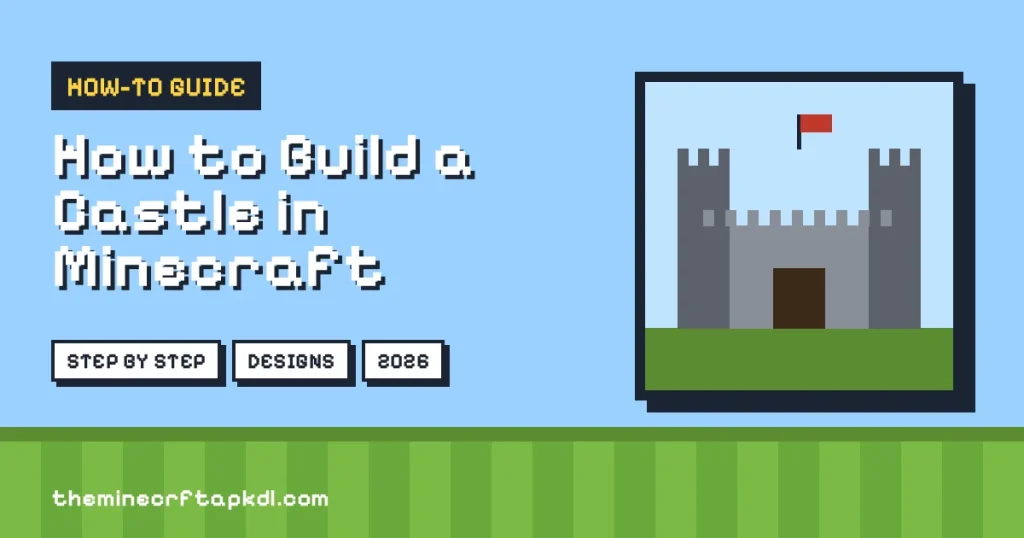
If you want to build a house in Minecraft that feels like a fortress, this is it. Thick stone brick walls, towers at the corners, a gate and a courtyard. This is the strongest and most impressive home, and it is a great long-term project to share with friends on a server or Realm.
| Design | Difficulty | Main Blocks | Best For |
|---|---|---|---|
| Wooden Starter House | Easy | Logs, planks, glass | First night |
| Underground Bunker | Easy | Stone, torches | Maximum safety |
| Hobbit Hole | Easy | Grass, planks, fences | Cosy small base |
| Treehouse | Medium | Planks, ladders, leaves | Jungle worlds |
| Cottagecore House | Medium | Stone, cherry wood, flowers | Pretty builds |
| Japanese House | Medium | Dark wood, stairs, lanterns | Unique style |
| Modern House | Medium | Concrete, quartz, glass | Clean look |
| Multi-Story Mansion | Hard | Mixed blocks | Big storage |
| Medieval Castle | Hard | Stone bricks | Group projects |
Extra Tips to Make Your House Look Better
- Think like a builder: the biggest upgrade when you learn how to build a house in Minecraft is moving past flat, plain walls.
- Add depth: push windows one block into the wall or pull pillars one block out. Flat walls look boring.
- Never build a perfect box: add a porch, a chimney or a small extra room to break up the shape.
- Landscape the outside: paths, fences, a farm, flowers and trees make the house fit into the world.
- Use Redstone: hidden doors, automatic lights and item sorters are fun upgrades once you are comfortable.
- Build with friends: on a server or Realm, split the work so one player gathers and one builds.
- Back up big builds: before a large project, make a copy of your world in case something goes wrong.
Common Beginner Mistakes
| Mistake | What Happens | Fix |
|---|---|---|
| No lights inside | Mobs can spawn in dark corners | Place torches or lanterns in every room |
| Building on a cliff edge | Easy to fall or get knocked off | Build a few blocks back or add a railing |
| All-wood house near lava or fire | Planks and wool can burn | Use stone near fire and keep lava away |
| Door left open | Zombies walk in, and some can break wooden doors | Close doors at night or use a fence gate entrance |
| No bed | You respawn far away after dying | Craft a bed and sleep in it on day one |
One more warning: never try to sleep in the Nether or the End. Beds explode in those dimensions. If you are heading there, read our guide on how to make portals in Minecraft first.
Frequently Asked Questions
What is the easiest way to build a house in Minecraft?
Make a small wooden starter house. Use logs for the corners, planks for the walls, stairs for the roof and a door at the front. For beginners, this is the simplest answer to how to build a house in Minecraft.
What are the best blocks for a Minecraft house?
Wood and stone are best when you start. Later, bricks, stone bricks, deepslate, concrete and quartz give a stronger and cleaner look.
Which type of house is the safest?
Underground bunkers and stone castles. Both have thick walls that mobs cannot get through, and they do not burn.
How big should my first house be?
Around 7 by 7 blocks with walls 4 or 5 blocks high is enough for a bed, a crafting area and a few chests. You can always add rooms later.
Is building a house the same on mobile and PC?
Yes. How to build a house in Minecraft is identical on Android, iOS and PC. Only the controls change. iPhone players can use Minecraft for iOS with the same steps.
Final Thoughts
Now you know how to build a house in Minecraft, from choosing a flat spot to adding the last painting on the wall. Start small with a wooden cabin, light it well, add a bed and a few chests, and then grow it into a cottage, a treehouse, a modern villa or a full castle. Every great Minecraft base starts with one simple house. If you have not got the game yet, grab the latest Minecraft APK download and start building today.